Stop the 205-Home Development on STC Sports Ground
They’ve Put in the Plans — We Must Stand Together
The developers have filed their application to build 205 homes on our much-loved STC Sports Ground — a space generations have enjoyed for sports, play, and peace.
Once it’s gone, it’s gone forever.
We can stop this, but only if enough of us act now.
15
205
How to Submit Your Objection
Follow the guide below to submit your objection. It only takes a few minutes, but together, our voices can protect this land and keep it green.
15
205
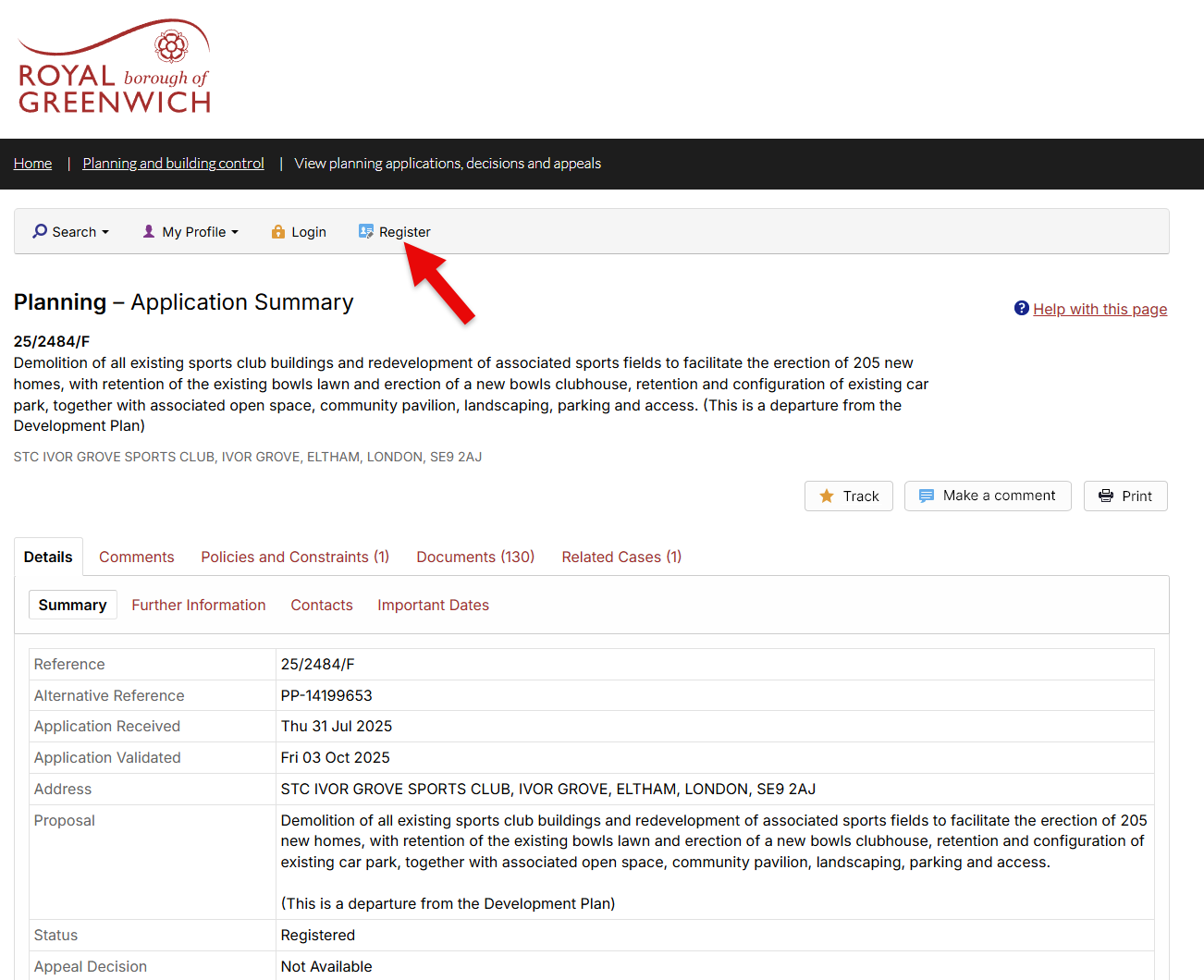
STEP 1 - REGISTRATION
In order to make a comment on the planning proposal, the first step is to register an account with the Royal Borough of Greenwich. You will need an email address to register and make a comment.
STEP 2 - COMPLETE PROFILE INFORMATION
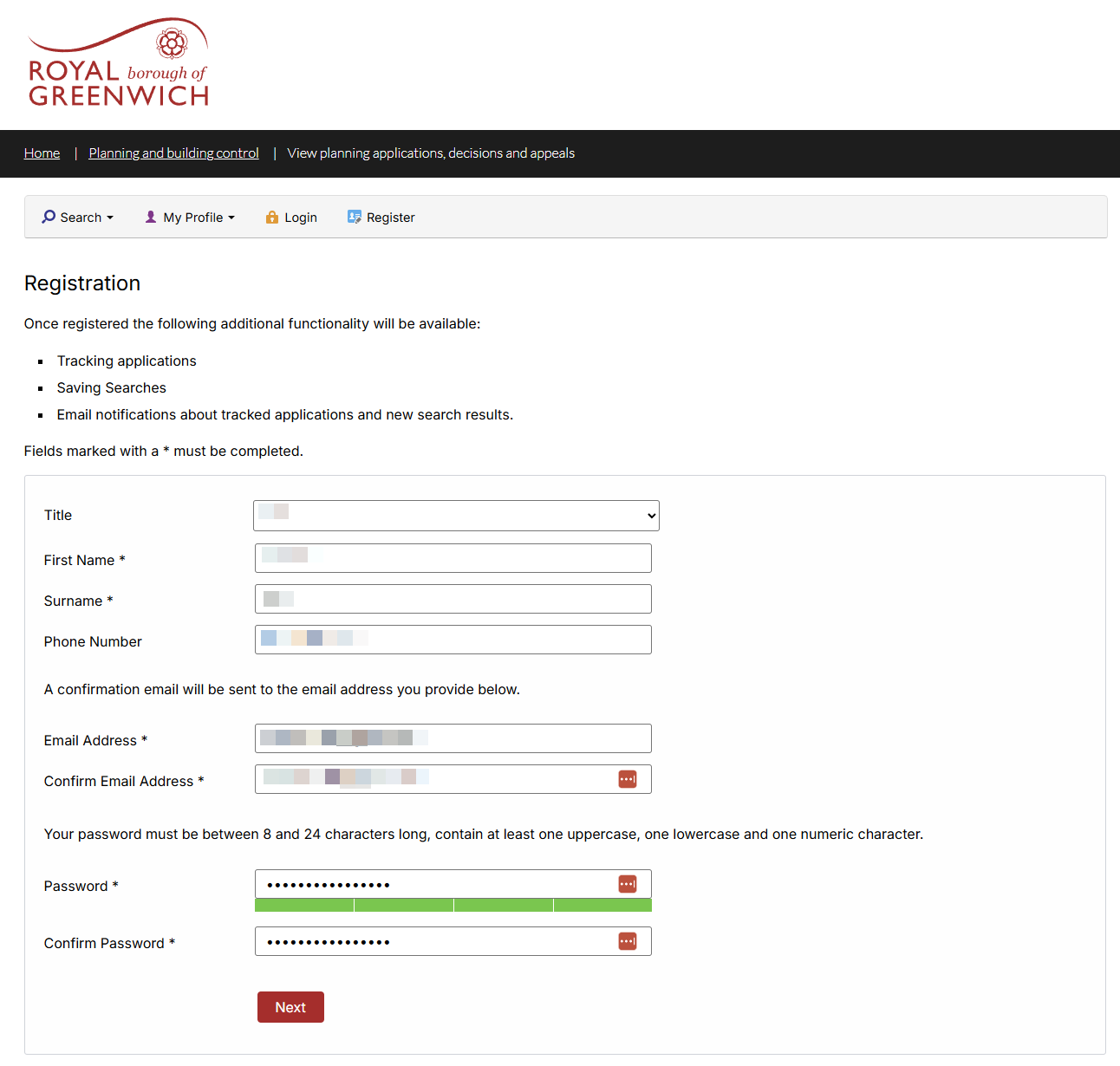
You will need to complete some personal details about yourself to complete your registration. The password field is a little tricky as it requires a password that is
- Between 8 and 24 Characters
- At Least One Uppercase Letter and One lowercase letter (so all capitals, or all lowercase isn't an option)
- One number
- No symbols are allowed!"?
STEP 3 - COMPLETE ADDRESS INFORMATION
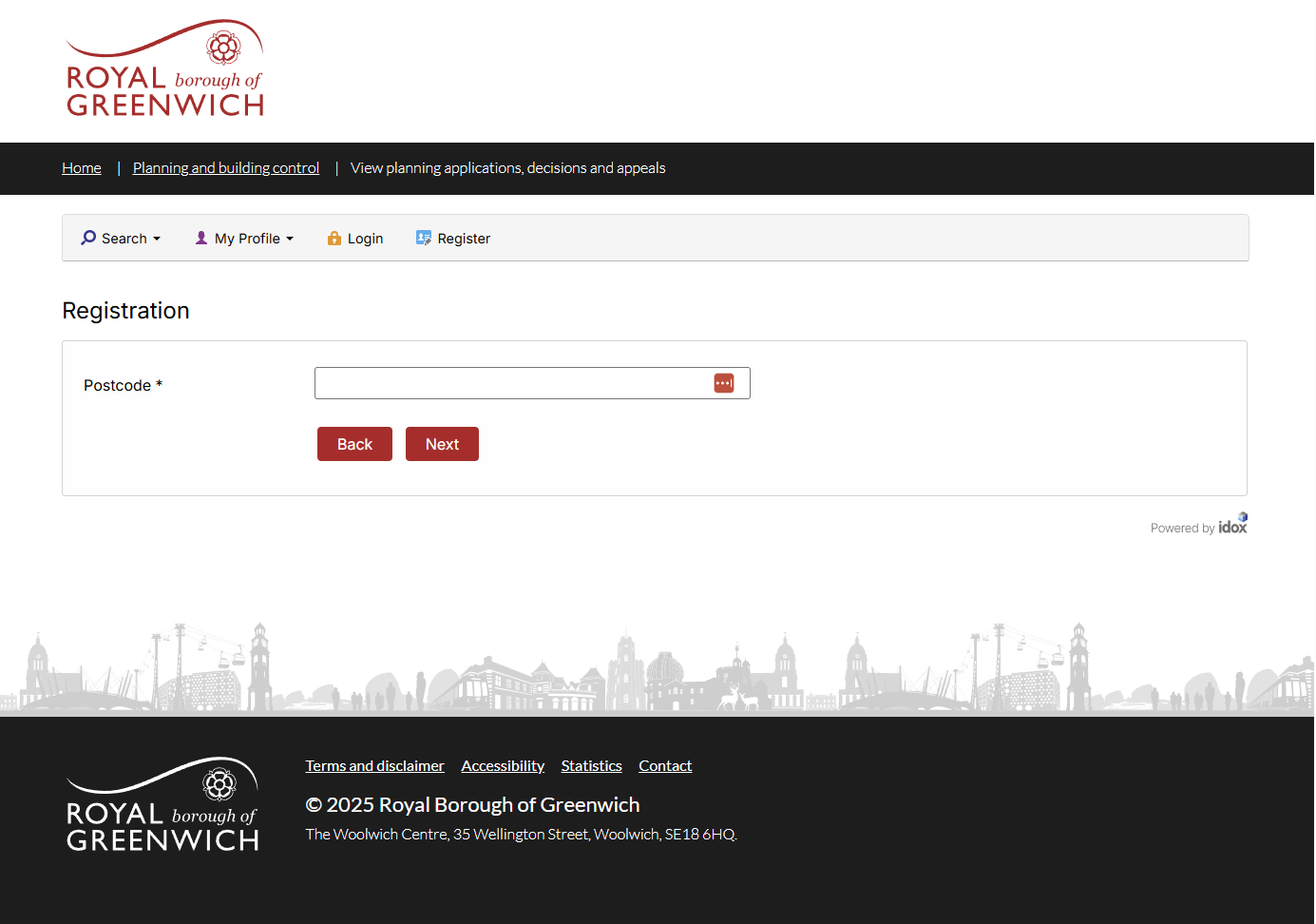
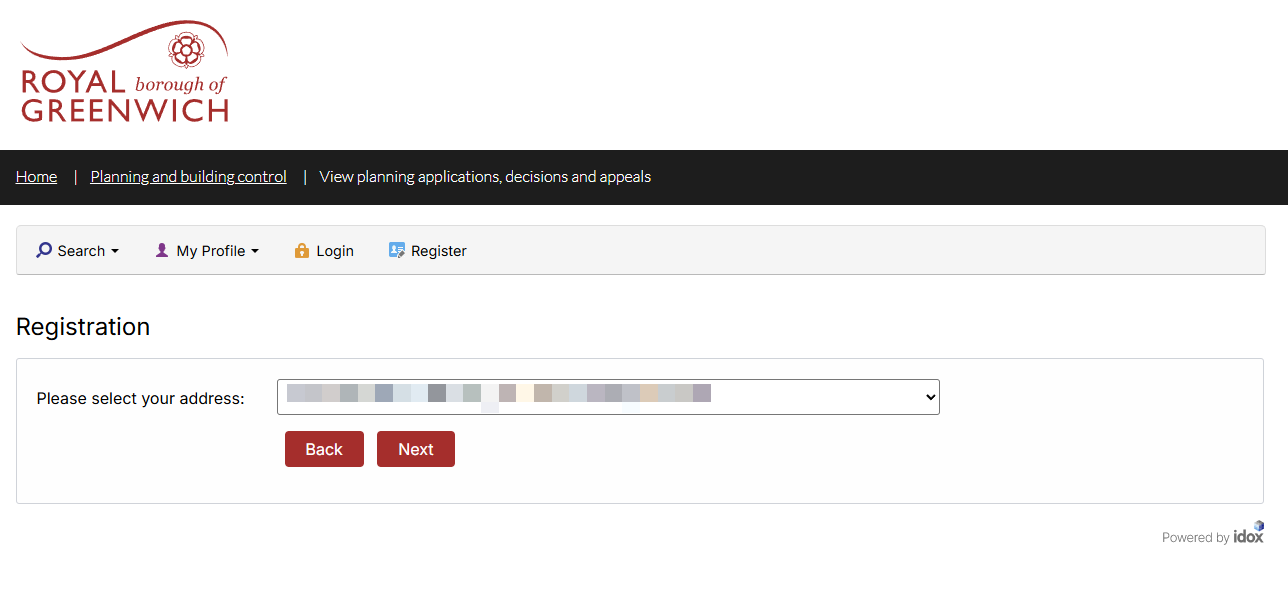
You will be prompted to input your postcode, followed by selecting your house number and street address. It's important you complete this information to complete your registration.
STEP 4 - AGREE TO TERMS AND CONDITIONS
To complete your registration, you will need to agree to the Terms and Conditions of your registration.
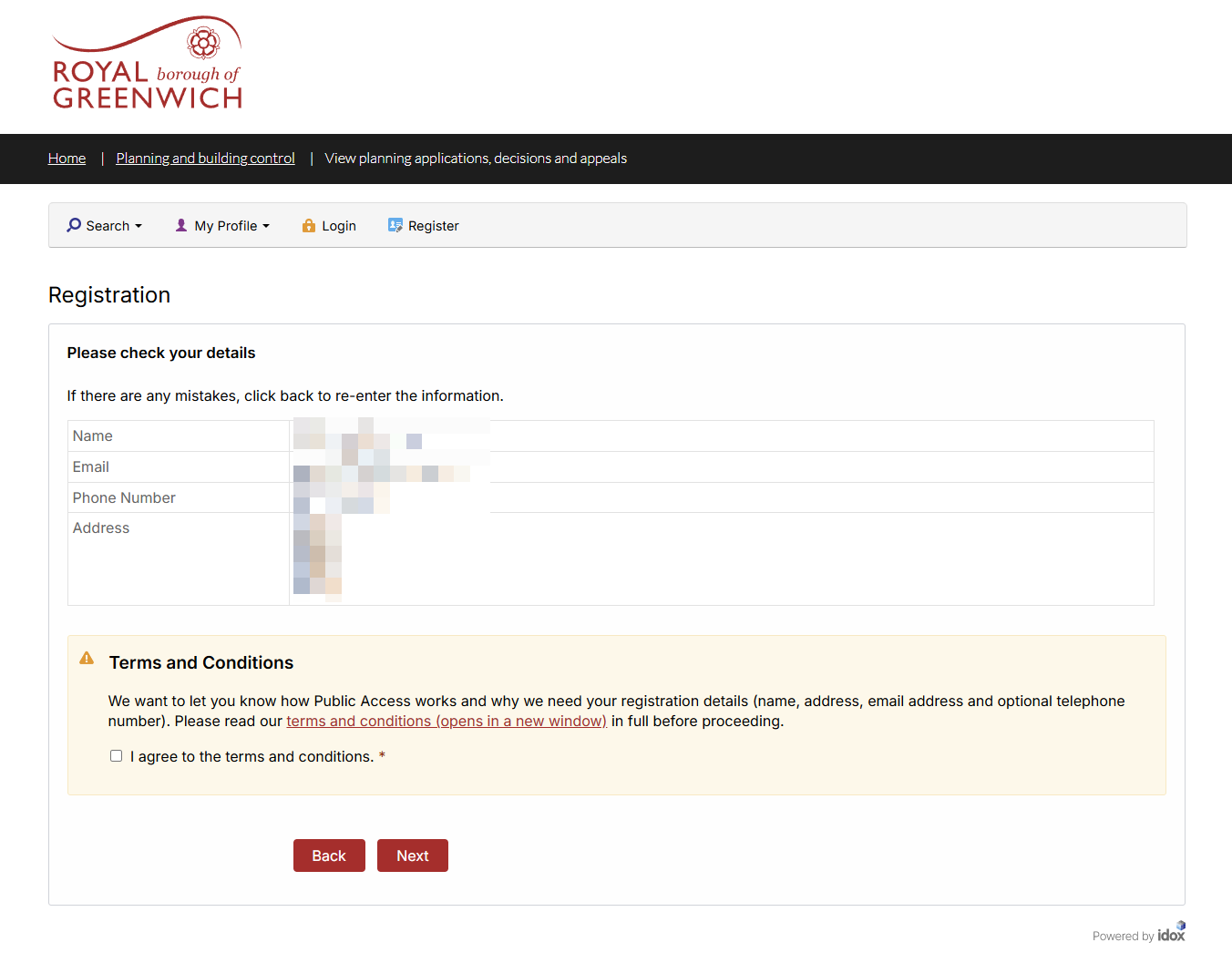
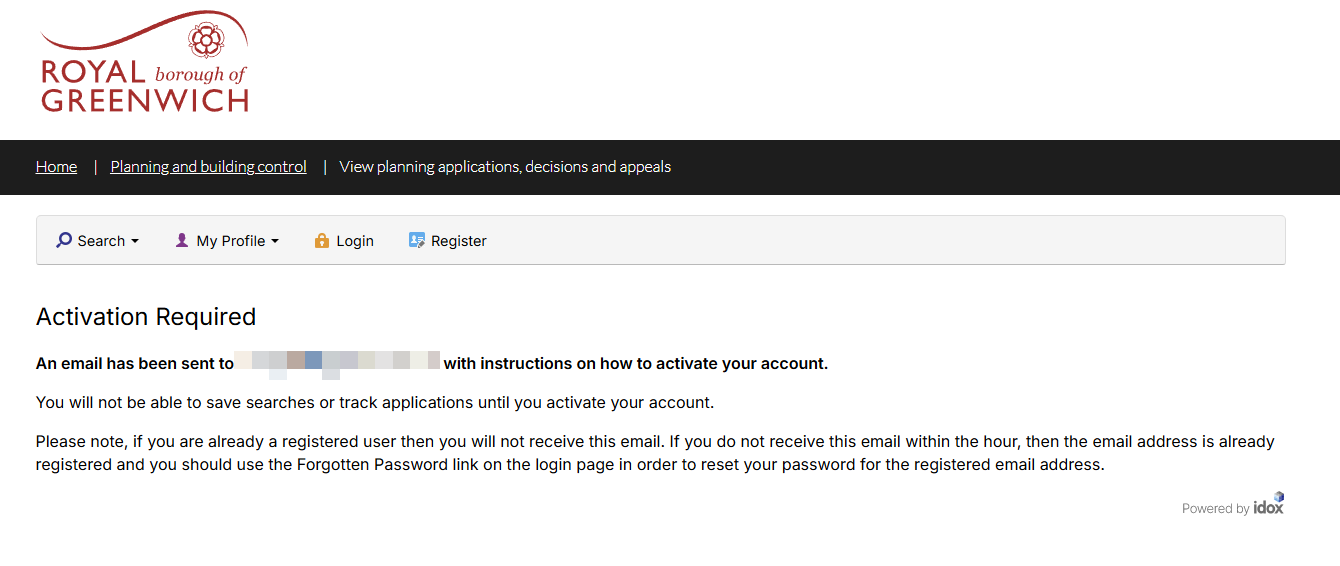
STEP 5 - CHECK YOUR INBOX
You will be be prompted to check your email, to confirm your registration with the Royal Borough of Greenwich.
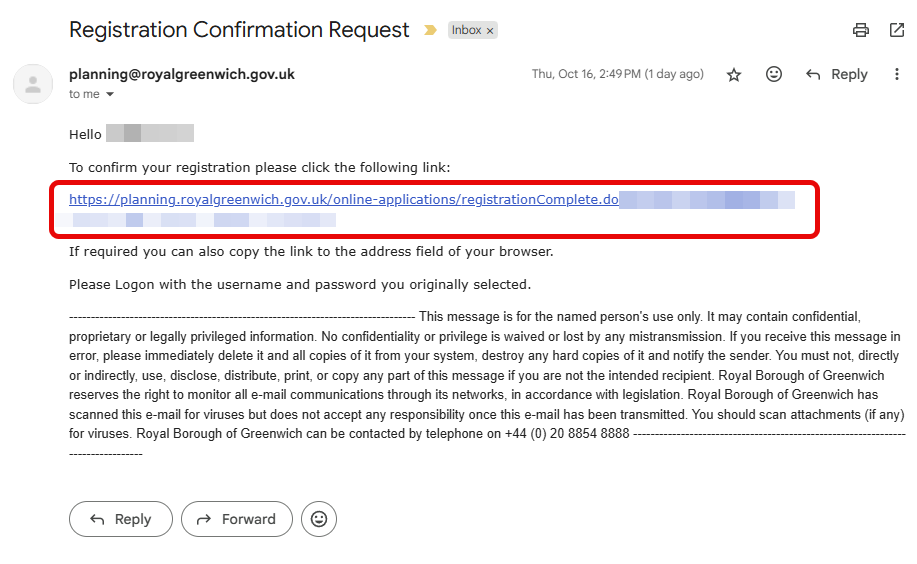
Wait for an email from [email protected], and then click on the link as per the instructions in the email. This will confirm your email address. At this point your registration is complete.
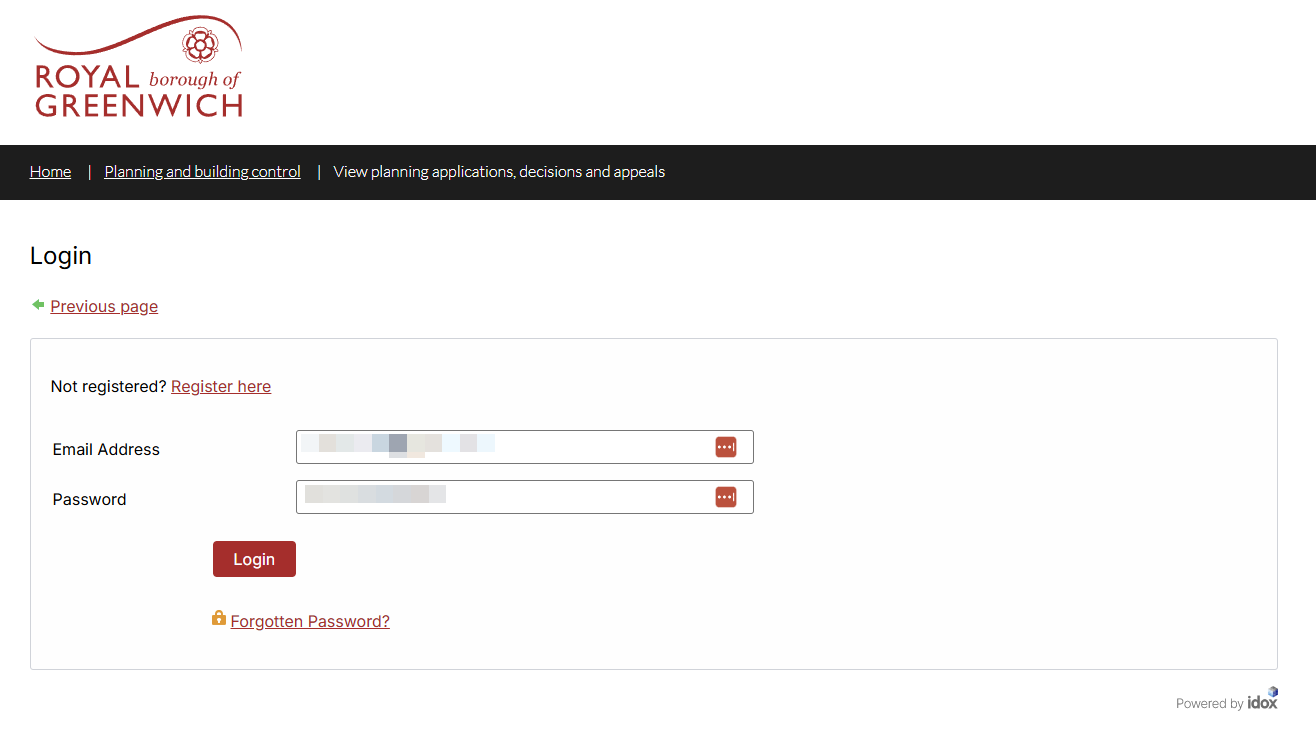
STEP 6 - LOGIN
Once you have registered on the RBG's website, the next step is to Login. If you are already logged in, you can safely skip this step.
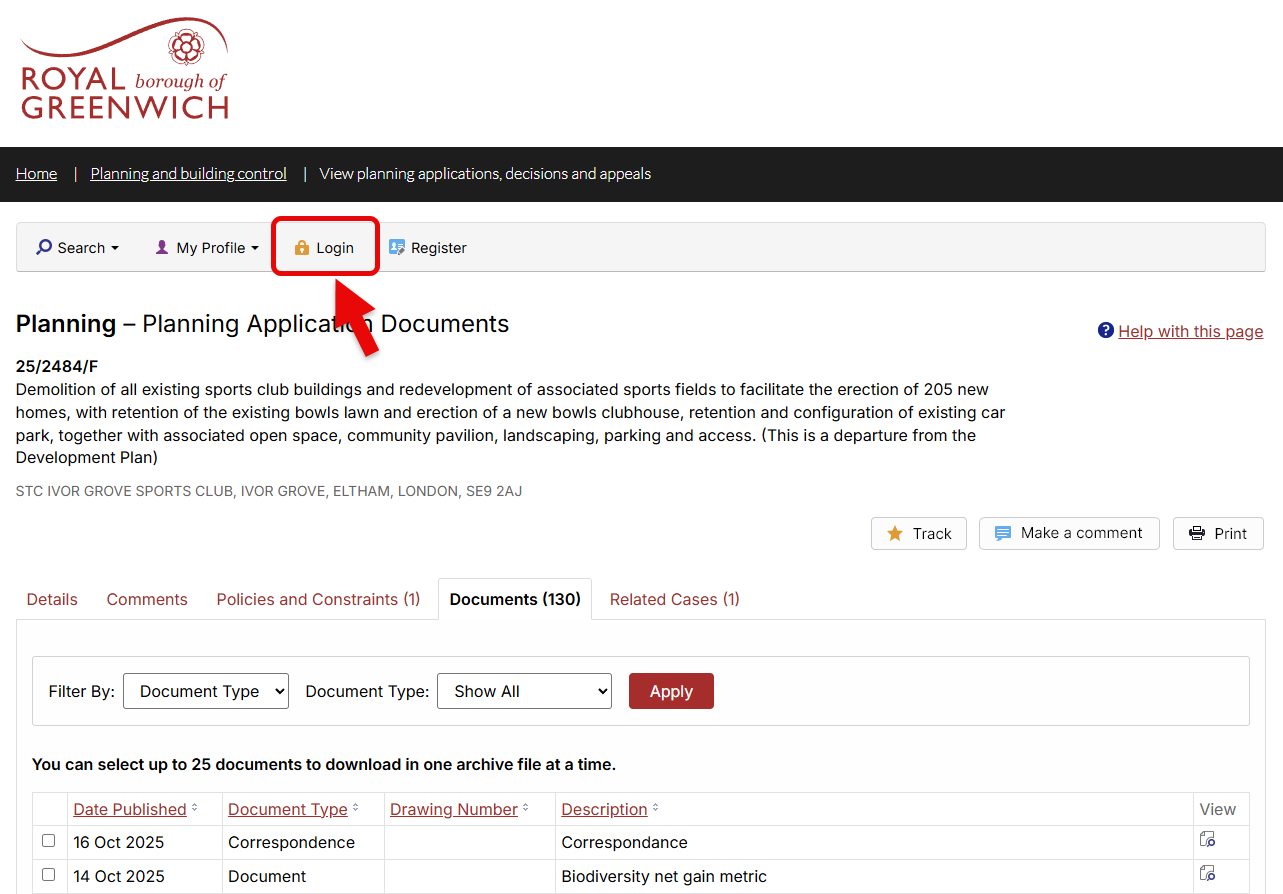
Please complete the login form with your email address and the password you used during registration.
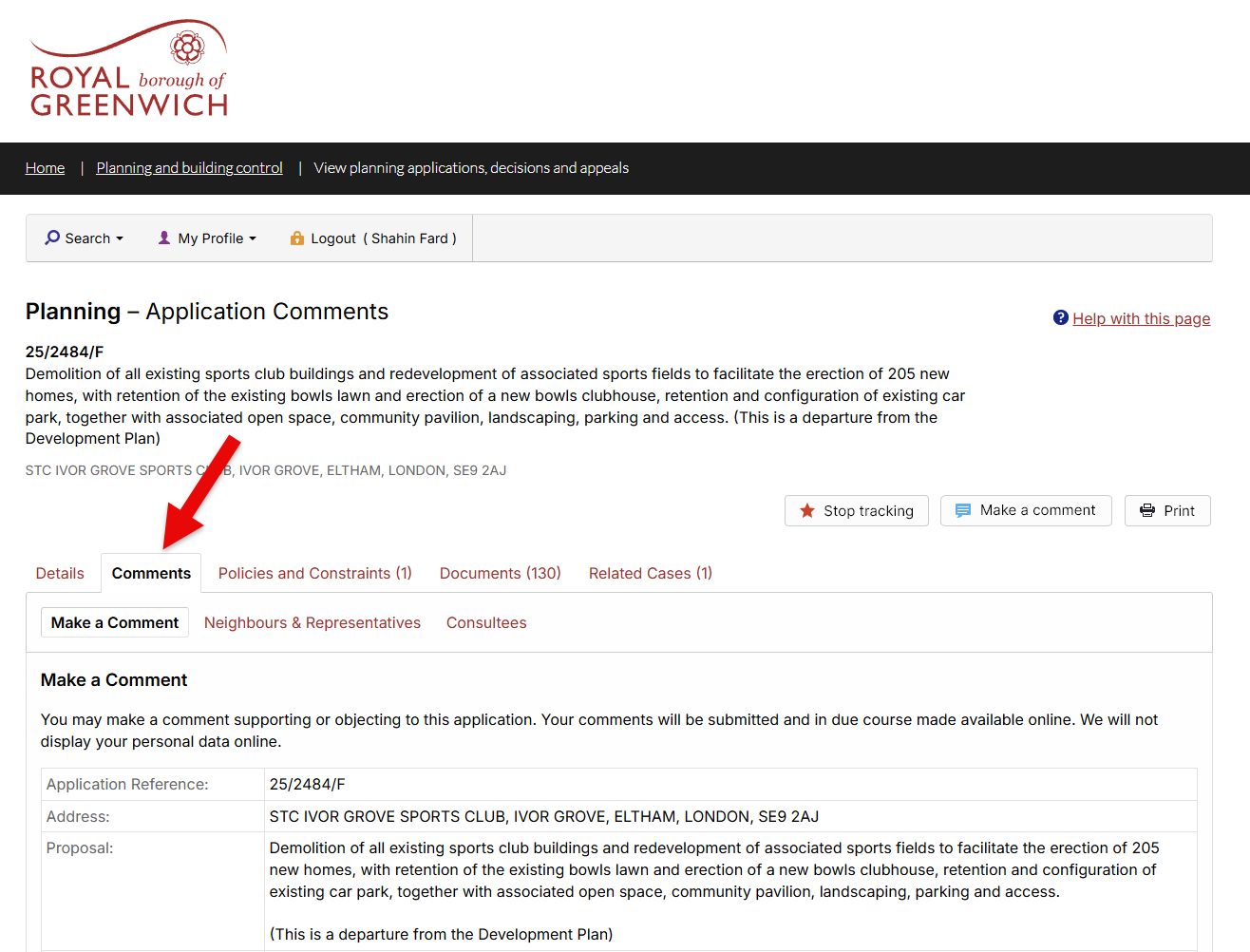
STEP 7 - MAKE A COMMENT
Well done for making it this far! The next step is to make a comment on the planning permission. You will need to click "Comments" tab
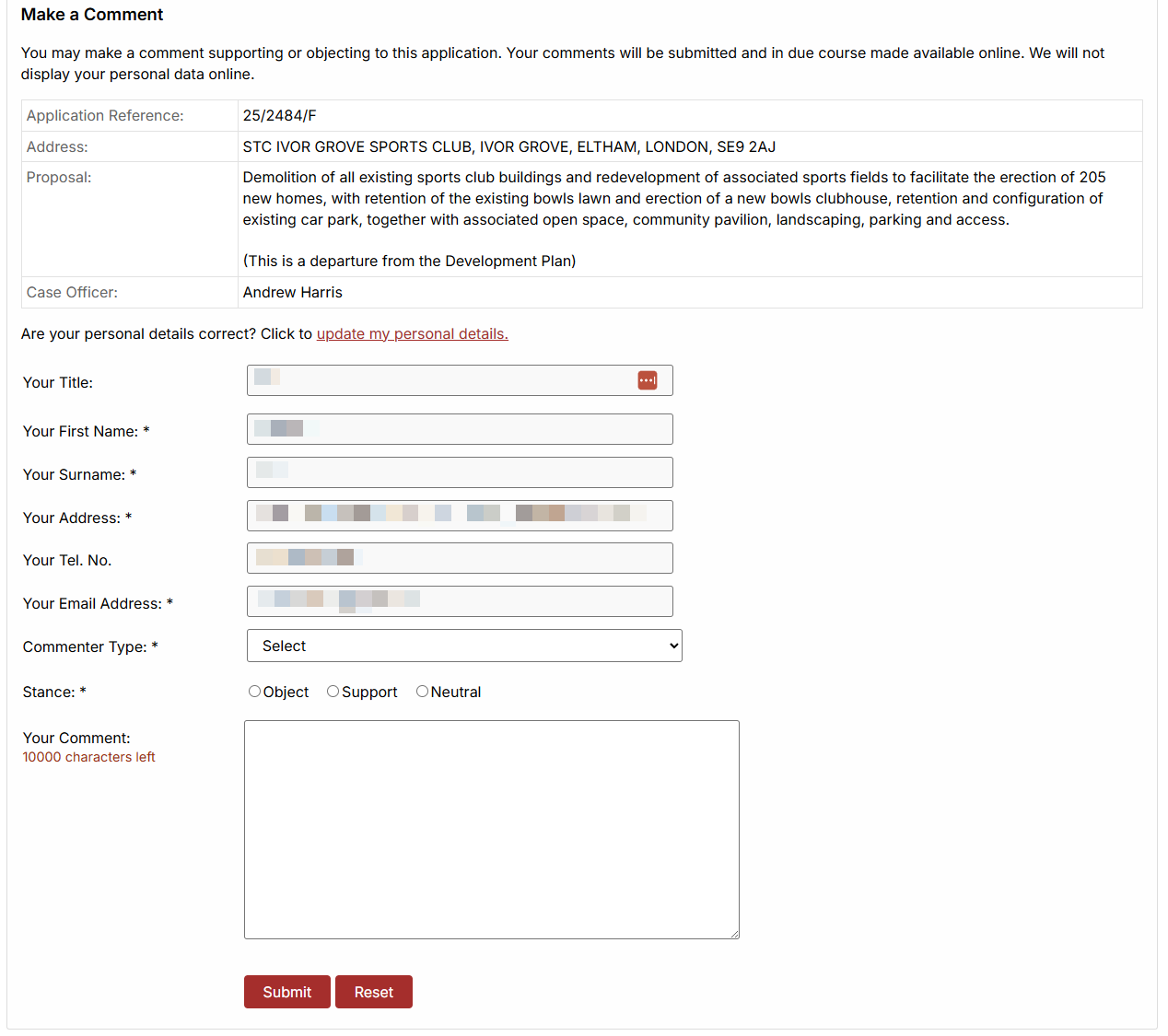
STEP 8 - MAKE A COMMENT
If you scroll down further, you’ll see a section where your personal details are automatically filled in (from your registration).
Here you will have the opportunity to make a comment on the planning application.
Commenter Type:
If this is your first time submitting a response, select “Complainant” from the dropdown menu.
Stance:
- Object – Select this if you oppose the planning application.
- Support – Select this if you agree with the planning application.
- Neutral – Select this if you neither support nor object to the planning application but wish to provide general comments or observations.
Hit Submit when you have completed your comment.
Thank you for taking the time to make your objection.
Every single comment matters and together, we’re showing the council just how much this green space means to our community.
Please help us spread the word.
Share this website with your friends, family, and local groups so they can make their voices heard too.
The more objections submitted, the stronger our impact.